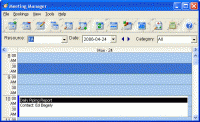
CyberMatrix Meeting Manager Enterprise is a user-friendly multi-user client/server application for scheduling meetings and meeting room resources in office buildings etc. Meeting calendars can be accessed all through your intranet or the Internet.
CyberMatrix Meeting Manager Enterprise is a user-friendly multi-user client/server application for scheduling meetings and meeting room resources. Meeting calendars can be accessed all through your intranet or the Internet. Meeting Manager Enterprise integrates with virtually any large database server, including Microsoft SQL Server and MySQL.
Use Meeting Manager to reserve conference rooms, schedule board meetings, reserve resources, book classrooms, plan church events, reserve rental cars, book driving instructors and even schedule tennis courts. Meeting Manager can handle all your meeting scheduling needs.
The resources that are scheduled can be the rooms themselves or the equipment required for the meetings such as overhead projectors, whiteboards and laptops. The capacity-based reservation feature allows you to reserve multiple people to a single resource at the same time without going over capacity.
Meeting Manager features sophisticated repeating events with daily, weekly and monthly options. Bookings can be moved by cutting and pasting or dragging and dropping from day to day or resource to resource. You can see the schedule of a single resource in day, week or month views. You can also see a schedule of all resources in a single day or the entire week. The search features help you to locate obscure bookings quickly as well as find openings at a specific time or of a particular duration. Security options restrict who can view and miodify what data. Schedule reports list and summarize calendar data. You can even change the reports or make your own. The email scripting feature lets you to decide which information is sent in reminder notices and change emails. Import contacts from Microsoft Outlook. Schedule data can be exported and imported in CVS format that Excel or other spreadsheets can open. An available ODBC driver allows you to access Meeting Manager data from other software applications. Whats new in version 8.18: Fixes Requirements: 64 MB RAM, 20 MB HD Operating system: Win2000,Win7 x32,Win7 x64,Win98,WinOther,WinServer,WinVista,WinVista x64,WinXP Release notes: Minor Update
MIE Calendar Software is a revolutionary calendar and collaboration tool. MIE Calendar is intended for businesses whose employees want to share calendars, information and tasks.
Price: $0, Rating: 10, Downloads: 122 Download
My Address Book is an easy to use contact manager for keeping track of friends, family, and business contacts.
Price: $0, Rating: 9, Downloads: 112 Download
AllMyNotes Organizer - secure random information manger! Save every bit of your info safely hidden from prying eyes. With this app working on ideas, notes, and storing diaries is a pure pleasure!
Price: $34.00, Rating: 9, Downloads: 105 Download
DesktopMirror for Outlook and Palm Desktop lets you synchronize information between Palm Desktop and Outlook. Then it is quite easy to keep your information up to date on your Palm, Palm Desktop and Microsot Outlook.
Price: $26.95, Rating: 5, Downloads: 104 Download
A small utility that displays a calendar with the twelve months of a year using Windows regional settings. Easy acces through a taskbar icon, which shows the current day. Configurable colors, column layout, first month and first day of the week.
Price: $, Rating: 0, Downloads: 102 Download
User Rating
Rating:2.2 out of
5 Based on13 ratings.
13 user reviews.

 CyberMatrix Meeting Manager Enterprise 8.18 details